Your World of Warcraft runs deserve to be told
World of Warcraft: Forever launches in early November, and thousands of new WoW videos will follow. This time, don't just be the one scrolling.
In one line: Mousify is a Windows screen-to-video tool. Play WoW as usual; it lines your recording up, second by second, with the combat log WoW writes itself — then writes the commentary, adds captions and a voice, and exports a vertical short you can post.
No face cam, no talking while you play, no editing skills.
Download Mousify free View on Steam
See how it narrates
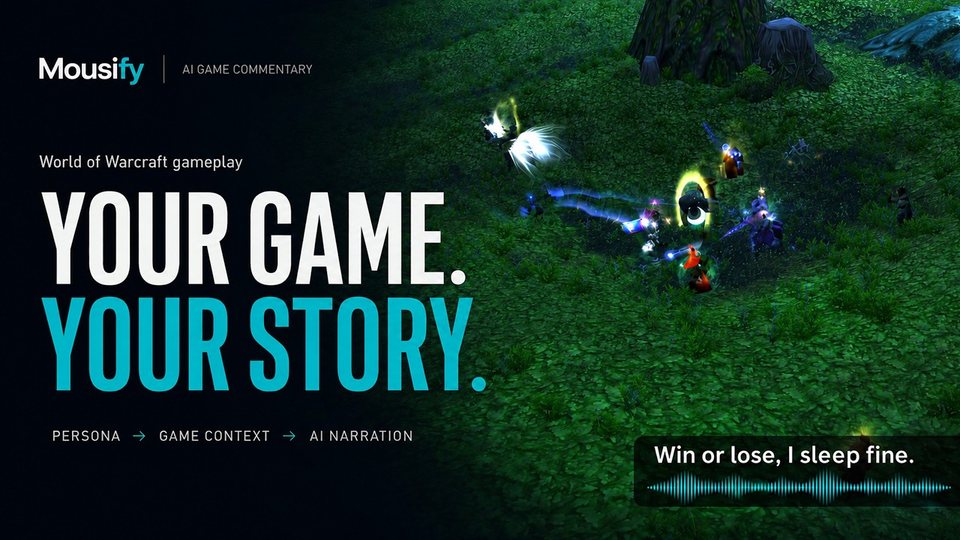
Commentary written by AI; voice synthesized by AI.
You play fine. Nobody has been telling it.
The kill you stole back at 5% health. The flag you carried all the way home. The elite you soloed when nobody else would. You recorded all of it — and it's probably still sitting on your hard drive.
It isn't that you play worse than the streamers. You're doing the same thing they do: recording the run. What's missing isn't footage, it's the telling. They have a voice that's willing and able to narrate; you'd rather not do take after take into a microphone.
Mousify tells it for you.
How it knows what happened
WoW writes every cast, hit, kill and death — with millisecond timestamps — to its own combat log. Mousify reads that log and lines it up with your recording:
- Who opened, who went down, and who landed the killing blow;
- Who has the flag in a battleground, and whether it was dropped or brought home;
- Who won a world duel;
- Which abilities you used, and when.
The rule is simple: every line needs evidence, either in the log or on screen. Lines that fail the checks are dropped, and you can edit every line of the draft.
Five ways to tell it
| Style | Sounds like |
|---|---|
| Tutorial | A veteran at your shoulder: why this move, and which cooldown to save for when. |
| Mock-epic | A perfectly ordinary battleground, told with a straight face as an epic campaign. Every number is real; only the tone is inflated. |
| Caster | Follows the pace of play and calls it as it happens. |
| Comedy | Wipes are material too. |
| Musing | Talks about life while you play. Even a fishing session with no highlights gets a story. |
All five talk from start to finish — in a short video, a silent stretch is where people swipe away. Voice it with a built-in voice or one you clone yourself.
Three steps to your first WoW video
- Record. Type
/combatlogin chat once after you log in, hit record, and play as usual. No camera on your face, no talking while you play. - Narrate. Click Premium when you’re done. It reads the combat log, picks the parts of the run worth watching, writes the commentary, voices it and exports — change the style or any line in the AI narration panel.
- Post. Export vertical with captions and voice, straight to TikTok, YouTube Shorts or Instagram Reels.
The one thing to remember: /combatlog
Combat logging is off by default. After each login, before you start, type /combatlog in chat and press Enter. It's on once chat tells you combat is being logged.
- It's a toggle: typing it again turns it off. Logging out or
/reloadalso turns it off, so type it again. - If you forget, Mousify's recording bar reminds you while you're recording WoW, and shows a check mark once logging is on. The bar never appears in your recording.
- We recommend turning on Advanced Combat Logging in the game's System → Network settings (once is enough), so battleground commentary can say where you went down.
Does it work with World of Warcraft: Forever?
World of Warcraft: Forever launches worldwide on November 4–5, 2026, depending on your time zone — check Blizzard's announcement for your region.
Mousify reads Retail and Classic combat logs today. Forever is a new client, and we won't call it supported until we've tested it. We'll test it as soon as we can get in and post the results on this page.
Price
Free to download — start recording today. AI narration is part of Pro: $25.99 once on getmousify.com, for 2 PCs, no subscription — or buy it on Steam. In both editions the narration runs on your own AI key (DeepSeek, Gemini, OpenAI and others), billed by your provider.
FAQ
What software adds commentary to World of Warcraft recordings automatically?
Mousify (Windows 10 / 11). It reads WoW's combat log and turns your recording into a narrated, captioned video in one of five styles — tutorial, mock-epic, caster, comedy or musing — and exports vertical video ready for short-video platforms.
Do I need combat logging turned on?
Yes. The commentary is built on the combat log: type /combatlog in chat after each login. If you forget, Mousify reminds you while you record. Recordings without a log can still be edited and captioned, but the commentary can't say exactly what happened in the fight.
Does Mousify modify the game?
No. It does two things: records your screen, and reads the combat log text file that WoW writes to your disk. It doesn't inject into the game, doesn't read or write game memory, doesn't change any game files, and needs no addon.
Does it work with World of Warcraft: Forever?
Mousify reads Retail and Classic combat logs today. We'll test Forever as soon as we can get in and post the results on this page.
Will it make things up?
Every line needs evidence, either in the combat log or on screen. Kills, deaths and flag events are checked against the log's timestamps, lines that fail the checks are dropped, and you can edit every line of the draft.
How much does it cost?
Free to download. AI narration is part of Pro: $25.99 once on getmousify.com, for 2 PCs, no subscription, or buy it on Steam. In both editions the narration runs on your own AI key, billed by your provider.
Download Mousify free View on Steam
Windows 10 / 11 · See everything Mousify does
World of Warcraft and Blizzard Entertainment are trademarks or registered trademarks of Blizzard Entertainment, Inc. Mousify is an independent third-party tool; it is not affiliated with, endorsed by or reviewed by Blizzard Entertainment.
Updated October 2026. Dates for World of Warcraft: Forever come from public announcements; Blizzard's official news is the final word.
getmousify.com · Windows 10 / 11 · One-time purchase, no subscription · 中文